Turn Any Chart Into Actionable Insights.
Capture, organize, and analyze charts from any website, generate GenAI insights, and build presentations effortlessly.
Get AI Chart Intelligence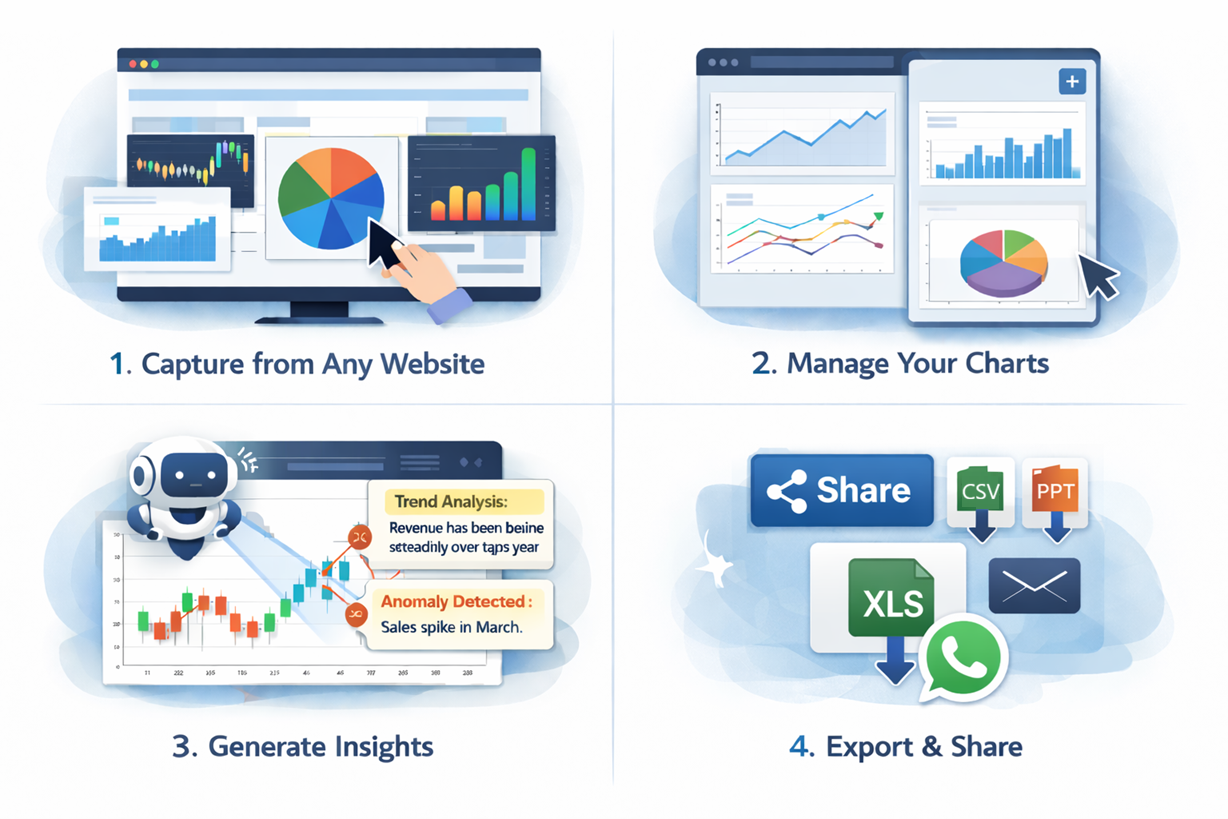
Capture, organize, and analyze charts from any website, generate GenAI insights, and build presentations effortlessly.
Get AI Chart Intelligence
📸 Capture charts and graphs from any dashboard or website
🗂 Organize and manage your chart assets in one place
📊 Build reports, QBRs, and presentations effortlessly
🤖 Analyze charts with GenAI to get actionable insights
Analysts, business users, decision-makers, and anyone who works with dashboards or reports — save hours, make smarter decisions, and share insights instantly.
Effective Date: 23 November 2025
Users can capture charts from webpages and generate insights.
Selected chart images are sent to our AI API to produce insights displayed in the extension. Data remains local unless explicitly exported.
Charts and summaries are stored in your browser using chrome.storage.local. They persist until reset or deletion.
The extension uses an AI service hosted at https://render.com/ for processing. Data sent is not used to train models.
You can reset all data anytime or uninstall the extension to delete stored content.
We take reasonable measures to protect your data locally. No personal info is collected.
Insights are AI-generated and may not perfectly reflect the visual's intent. Verify before acting on them.
Privacy Policy updates will be reflected in the extension description.
Questions? Contact us at:
Install, capture charts, manage your assets, create presentations, and get insights instantly.
Install AI Chart Intelligence